
Event Staff Scheduling Software: A Complete Guide
- Dec 11, 2025
- 15 min read

Managing teams for events can quickly become chaotic, juggling multiple shifts, last-minute changes, and different event locations can overwhelm even the most experienced planners. This is where event staff scheduling software comes in. By using the right software, you can streamline scheduling, ensure every team member knows where to be and when, and prevent costly no-shows. Recent searches show that planners are increasingly looking for tools that save time, improve communication, and provide real-time updates, all features that effective scheduling software delivers.
In short, event staff scheduling software is designed to simplify shift management, boost team efficiency, and make running events far smoother. In this article, we compare the 5 best tools for scheduling event staff, including:
Vars
Deputy
Humanity
Shiftboard
Planday
How I Chose the Best Event Staff Scheduling Software
With so many options available, finding the perfect event staff scheduling software can feel overwhelming. To narrow it down, I focused on the features that truly make managing event teams easier, more efficient, and stress-free.
Must-Have Features
Real-time shift updates: Events rarely go exactly as planned. The software needs to let you adjust schedules instantly and alert your staff right away, so everyone is always on the same page.
Mobile access: Your team should be able to check their schedules, clock in, and receive updates directly from their phones. A robust mobile app is essential for keeping your staff connected on the go.
Smart scheduling: Look for tools that can automatically build schedules based on staff availability, skills, or specific roles. This saves time and reduces scheduling conflicts.
Built-in communication: Sending reminders or last-minute updates should be seamless, without having to jump between multiple apps.
Availability tracking: Staff can set their availability in advance, so you never have to chase people down for every shift.
Additional Factors I Considered
The best event staff scheduling software isn’t just about features, it’s about usability and flexibility:
Fast setup and scalability: You should be able to onboard new staff quickly, even right before a big event.
Versatility across event types: Whether it’s a multi-day festival, a single gig, or rotating venue crews, the software should adapt effortlessly.
User-friendly interface: Even team members who have never used scheduling software should find it easy to navigate.
Advanced Features That Make a Difference
Geofencing: Accurately monitors staff location and logs work hours automatically.
Shift confirmations and reminders: Helps you know who has seen their schedule and who hasn’t.
Custom roles and permissions: Allows team leads or on-site managers to make updates without giving full admin access to everyone.
Checklists: Ensures staff follow essential steps before, during, or after an event, such as setup tasks, safety checks, or teardown procedures.
By focusing on these capabilities, you can choose the event staff scheduling tool that keeps your team organized, your events running smoothly, and your staff engaged.
The 5 Best Event Staff Scheduling Tools to Use in 2025
1. Vars - Best for All-in-One Scheduling & Communication
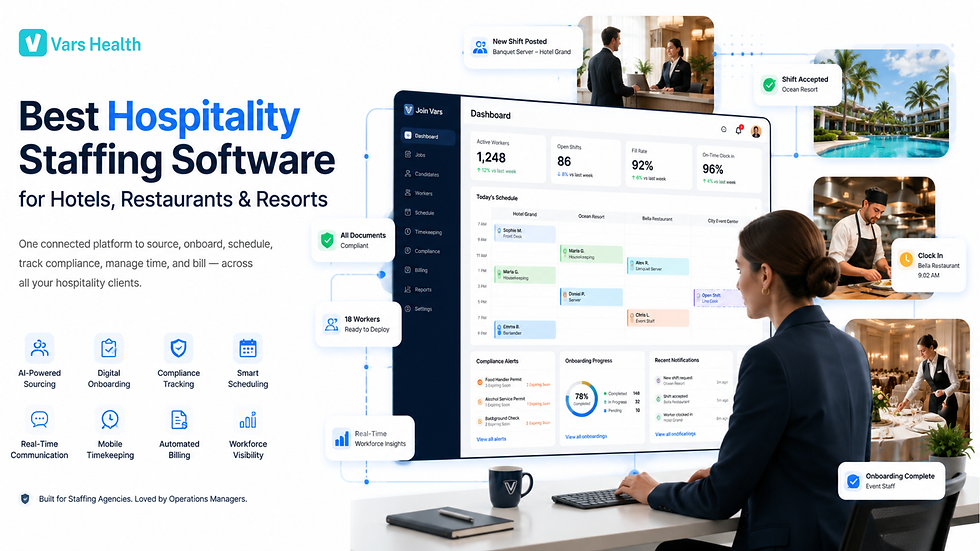
Vars is a comprehensive staff management solution designed to simplify scheduling, enhance team communication, and keep tasks organized, all in one platform.
Why I Chose Vars: Managing event staff can get complicated, but Vars makes it effortless. Built with both administrators and staff in mind, Vars offers intuitive mobile and desktop interfaces. I particularly love how precise you can be when assigning shifts based on availability, preferences, and skill levels. Plus, the auto-scheduling feature handles much of the heavy lifting for you.
Here’s what Vars brings to your team:
Seamless AI Scheduling Vars features a drag-and-drop scheduler that makes creating and adjusting schedules quick and simple.
What really stands out is Vars AI-powered scheduler. It automatically assigns shifts based on staff availability, qualifications, and time-off requests, saving hours of manual planning. This ensures every shift is covered by the right person, even during peak times or last-minute changes.
Vars also balances shift distribution fairly, helping prevent overworking or understaffing. Compliance is easier too, as the software respects work regulations like shift limits and overtime.
Find Shift Replacements, Fast
One feature I really appreciated about Vars is how it handles shift replacements. If a team member calls out or needs to swap a shift, there’s no scrambling or manual tracking. Staff can release their shifts and let other qualified teammates claim them. You can even require admin approval to ensure every replacement request is reviewed before it’s finalized. The system automatically notifies both the original and replacement staff, keeping everyone informed and reducing the risk of missed shifts or confusion.
Communicate with Your Team on the Go
For events, Vars built-in work chat keeps your team connected without needing personal phone numbers or external messaging apps. The instant messaging and group chat features are intuitive, just like using your favorite messaging app, but with the added benefit of sharing schedules, sending updates, and managing last-minute changes directly in the app.
Because communication is fully handled through Vars, staff members don’t need to save contact information, making it perfect for event teams with temporary or short-term staff. It’s a seamless way to stay connected, keep everyone on the same page, and ensure your events run smoothly.
Geofencing & GPS Time Clock
Vars comes with a powerful time clock featuring geofencing and GPS tracking, making it easy to monitor staff hours and locations. By setting up custom work zones, you can restrict clock-ins to the event space and automatically clock staff out when they leave the area.
You can create multiple geofenced zones for different event locations and adjust their size and hours to suit your needs. This gives you real-time visibility over field attendance, helping you know exactly who’s working where, without micromanaging. You can even receive alerts for early clock-ins or missed check-ins.
The mobile app makes the time clock even more convenient, speeding up the check-in process for large teams. Staff can clock in on time, every time, while all hours are automatically recorded on digital timesheets. These timesheets can also integrate with payroll software, simplifying payroll processing and reducing errors.
Integrations That Streamline Your Workflow
Vars offers a wide range of integrations to make managing your team and payroll seamless, including:
RUN Powered by ADP
QuickBooks
Gusto
Paychex
Xero
Zapier
And many more
But Vars isn’t just a scheduling tool. You can also create custom checklists and forms to speed up workflows, keep everything organized, and ensure consistency across your events. Employee documents can be stored and managed directly within the app, so important information is always at your fingertips.
With these features, Vars truly combines event staff scheduling software, communication, and task management into a single, intuitive platform, making it easy to run smooth, well-organized events.
Key Features of Vars
AI Scheduler: Automatically assigns shifts based on staff availability, skills, and preferences, saving hours of manual planning.
GPS Time Clock: Track hours and locations accurately with geofencing and mobile clock-ins.
Shift Swapping: Staff can release or swap shifts easily, with optional admin approval.
Geofencing: Restrict clock-ins to event locations and get real-time updates on staff presence.
In-App Chat with Groups: Communicate instantly with your team, share schedules, and send updates without leaving the app.
Checklists and Forms: Ensure tasks are completed consistently, from setup to teardown.
Pros
Real-time visibility and updates keep everyone on the same page.
Mobile-friendly design makes scheduling and communication easy on the go.
Intuitive and easy to use, even for first-time users.
All-in-one solution combining scheduling, communication, and task management.
Cons
Requires internet or WiFi access to function fully.
Pricing
Free-for-life plan available.
Premium plans start at $29/month for 30 users.
2. Deputy - Great for Agile Shift Management in Small to Mid-Sized Teams
Deputy is a workforce management platform designed to simplify staff scheduling, time tracking, and communication. It’s especially useful for businesses and event teams that need detailed shift management and accurate time tracking.
Why I Chose Deputy: Deputy’s AI-powered auto-scheduling and geofencing make managing shifts effortless. Its leave management system also makes tracking staff availability straightforward, which is crucial when running multiple events or handling last-minute changes.
Scheduling for Teams
One feature that stood out is Deputy’s drag-and-drop scheduling tool. It allows managers to assign shifts quickly and make changes on the fly. The auto-scheduler can automatically assign shifts based on employee availability, skills, and labor budgets. Staff can also claim open shifts, while rules can be set for shift lengths and start times.
The main drawback is that the mobile app’s scheduling interface can feel a bit clunky, making it less intuitive for first-time users.
Time Tracking
Deputy offers flexible time tracking, allowing staff to clock in and out using mobile devices or a shared kiosk. With geofencing, staff can only clock in when they’re at the designated event site. For added security, biometric facial recognition or photo capture ensures accurate attendance. Staff can also leave shift feedback notes, although there’s no way to flag urgent messages.
Timesheets are automatically generated from clock-ins, displaying hours worked, wages, and any overtime or premium rates.
Newsfeed Communication
Deputy’s newsfeed feature improves internal communication by letting managers post messages to individuals or specific locations. You can attach PDFs, images, or videos, and staff can react to posts or confirm they’ve read updates. However, the newsfeed lacks the ability to send messages to custom groups, and private one-on-one conversations appear in the public feed, which may be confusing.
Updates & Pricing
Deputy recently raised its base price from $4.50 to $5 per user/month, affecting existing clients.
Key Features
Staff scheduling
Newsfeed communication
Geofencing
Time tracking
Pros
AI-powered auto-scheduler
Biometric facial recognition
Cons
Doesn’t work offline
Advanced features only available on the Enterprise plan
Pricing
Starts at $5/user/month
Trial: 31 days
Free Plan: No
3. Humanity by TCP Software, Ideal for Compliance & Labor Analytics
Humanity is a robust scheduling platform designed for businesses that need to stay compliant with labor regulations while efficiently managing shifts. While it’s packed with features, it may feel overwhelming for teams that only need a simple scheduling solution.
Why I Chose Humanity: Humanity stands out for its strong compliance focus and AI-powered scheduling. The platform’s pre-built compliance rules make it easier to follow labor laws without manually configuring everything. The AI scheduling and forecasting tools (available at an additional cost) help streamline shift planning and improve workforce efficiency.
Scheduling and Shift Management
Scheduling with Humanity is flexible and intuitive. You can:
Build shifts using templates
Copy and paste schedules
Auto-schedule shifts based on employee skills, availability, and time-off requests
Employees can also self-assign open shifts or swap shifts with approval from managers. Humanity supports access across desktop, mobile devices, tablets, and even Apple Watches, making it convenient for staff on the go. Note: The pre-built compliance rules are focused on the US, so international teams will need to configure their own.
Time Tracking and Payroll
Humanity’s time clock is simple and effective. Late check-ins are automatically flagged, making it easy to identify issues. Timesheets are straightforward to create and can be manually approved or set to auto-approve. Humanity also integrates with over 30 payroll providers, simplifying payroll processing.
Communication Tools
The platform includes email, SMS, push notifications, in-app chat, and a message board. While these tools are functional, they may feel slightly outdated compared to newer event staff scheduling software platforms.
Limitations
The platform can feel complex for teams seeking a basic scheduling solution.
Pricing isn’t publicly listed; you must contact Humanity for a quote.
There is no free plan available.
On the positive side, Humanity offers 24/7 customer support, which helps teams get up to speed quickly.
Key Features
Shift planning
Compliance rules
Time clock
Payroll integrations
Pros
Offers AI-powered auto-scheduling
Supports US labor compliance
Cons
Pricing isn’t publicly available
No free plan
Pricing
Contact the vendor for pricing
Trial: Yes
Free Plan: No
4. Shiftboard ScheduleFlex - Best for Service-Centered Organizations
Shiftboard is a scheduling platform designed for medium-sized businesses that need flexible shift management. While it offers many scheduling options, its outdated interface can make the experience feel clunky.
Why I Chose Shiftboard: I appreciated how easy it is to build schedules and the variety of options available. You can auto-schedule shifts, assign them based on employee qualifications, and use a tradeboard so employees can swap shifts with manager approval.
Flexible Scheduling
Shiftboard is effective for managing multiple teams or locations. It can automatically create schedules based on labor demand, and you can import employee qualification data from HR software to save time.
However, the platform does not support drag-and-drop scheduling, so editing or moving shifts requires multiple clicks, which can slow down the process.
One standout feature is handling open shifts. Employees can volunteer for unclaimed shifts through a sign-up list, and the tradeboard lets them offer shifts for others to pick up after manager approval.
Time Tracking and Timesheets
Shiftboard’s time clock allows employees to clock in and out via mobile or desktop apps, with their locations recorded at the start and end of shifts. However, it lacks GPS tracking during shifts and geofencing to prevent off-site clock-ins.
The timesheet system is basic: it logs time accurately, but you cannot track different pay rates for different shifts or let employees review their own hours.
Communication Tools
Shiftboard includes a messaging feature for managers to send updates to employees and target messages by team or assignment. While targeting is useful, the lack of two-way communication limits interaction; employees cannot reply or chat with each other, reducing its effectiveness for team communication.
Limitations
No free plan available
Pricing isn’t transparent; you must contact sales and have at least 100 employees to qualify
Web interface feels outdated, with a monochrome design that can be hard to navigate for long sessions
The mobile app is more user-friendly, but overall, Shiftboard’s platform feels a few steps behind more modern event staff scheduling software solutions.
Key Features
Staff scheduling
Time clock with timesheets
Team messaging
Pros
Flexible scheduling options
Auto-scheduler available
Cons
Interface feels clunky and outdated
No drag-and-drop for fast shift edits
Pricing
Contact the vendor for pricing
Trial: No
Free Plan: No
5. Planday - Best for Small Teams and Integrations
Planday is a team scheduling and time tracking platform designed for small, location-based teams. Its clean, intuitive interface makes it easy to manage shifts, time, and communication without a steep learning curve.
Why I Chose Planday: Planday stands out for its simplicity and wide range of integrations, especially with payroll and point-of-sale systems. Creating shifts, approving time, managing staff availability, and navigating between features was straightforward and user-friendly.
Quick Shift Planning
Scheduling with Planday is fast and easy. You can drag and copy shifts across the calendar and assign them in just a few clicks. The mobile app makes it simple to see who is working and make quick edits on the go.
The main limitation is the lack of a recurring shift option, which can require extra manual work. Auto-scheduling is available, but only on the Pro plan, which may be costly for smaller teams.
Simple Time Tracking with GPS
Planday’s built-in time clock allows employees to clock in and out via the mobile app, with GPS location logged for each clock-in. You can also set up geofencing to limit clock-ins to specific sites.
However, Planday does not generate payroll-ready timesheets. While you can create reports on work hours, they are not formatted like traditional timesheets, which may require additional effort for payroll processing.
Communication and Integrations
Planday includes messaging tools that let you send messages to individuals or teams, track who has read them, and even require replies. That said, the messaging system functions more like email than real-time chat, and announcements are one-way only.
Planday’s robust integration library is a major plus, covering payroll, POS, and tipping platforms. POS integrations are especially helpful for tracking labor costs against real-time revenue.
Limitations
While Planday is intuitive and affordable, limited reporting capabilities and the lack of automated timesheets can create extra work as teams grow. Admin functionality on mobile is also less robust compared to the desktop version.
Key Features
GPS time tracking
Employee messaging
Drag-and-drop scheduler
Time-off management
Pros
Easy-to-use interface
Wide range of integrations
Cons
No automated timesheets
No recurring shifts
Pricing
Starts at €2.99/month
Trial: 30 days
Free Plan: No
Comparison: 5 Event Staff Scheduling Platforms
Software / Tool | Reviews | Pricing / Cost | Free Trial | Free Plan | Typical Use Cases | Platforms / Availability |
Vars | ⭐⭐⭐⭐⭐ | Free-for-life plan for small teams; paid plans start for larger teams | Yes | ✅ | Mobile / non-desk teams; small to mid-sized event crews; field-based or remote staff needing scheduling + time tracking + communication | Web, iOS, Android |
Deputy | ⭐⭐⭐⭐ | Starts at $5/user/month | 31-day free trial | ❌ | Small to mid-size businesses or event teams needing shift scheduling, time tracking, leave & availability management, flexible shift swaps | Web, iOS, Android |
Humanity | ⭐⭐⭐⭐ | Contact vendor for pricing | Yes | ❌ | Organizations needing compliance with labor laws, complex scheduling, shift-swaps, and flexible staff management | Web, mobile, tablets, smart devices |
Shiftboard ScheduleFlex | ⭐⭐⭐ | Contact vendor for pricing | ❌ | ❌ | Service-oriented organizations, multi-location teams, events needing flexible scheduling, open-shift sign-ups & shift-swap boards | Web, desktop + mobile |
Planday | ⭐⭐⭐ | Starts at approx. €2.99/month | 30-day free trial | ❌ | Small teams, retail/hospitality or event crews needing straightforward scheduling, shift swaps, GPS time clock, and payroll/POS integrations | Web, iOS, Android |
What Is Event Staff Scheduling Software?
Event staff scheduling software is a tool that helps organizers plan, assign, and manage shifts for staff working at events. Whether you’re running a conference, concert, festival, or corporate function, this software simplifies coordinating roles, tracking availability, and making sure every shift is covered without relying on spreadsheets, emails, or group texts.
These platforms usually include features like drag-and-drop scheduling, automated shift assignments, time tracking, and real-time communication tools. They’re designed to streamline staffing logistics, minimize no-shows, and keep your team coordinated. This kind of software is especially valuable for events with large crews, rotating staff, or last-minute changes, making operations smoother and more efficient for both managers and employees.
How Does Event Staff Scheduling Software Work?
Event staff scheduling software brings all the moving parts of planning, assigning, and managing event shifts into one simple, centralized platform. Instead of juggling spreadsheets, messages, and manual updates, organizers can create schedules from scratch or use ready-made templates. Managers can assign staff based on their availability, roles, skills, or qualifications, and most tools make this even easier with drag-and-drop scheduling, auto-fill, or smart scheduling features that match the right staff to the right shift automatically.
Once the schedule is published, staff instantly receive notifications through mobile app alerts, email, or text message. From there, they can confirm their shifts, request changes, or even swap shifts, if the manager enables that option.
On event day, many platforms include GPS or geofenced time clocks, allowing staff to check in and out from their phones only when they’re at the correct location. This helps prevent time theft, reduces manual tracking, and keeps attendance accurate.
These tools also make it easy to manage availability, time-off requests, scheduling conflicts, and total hours worked. Since everything updates in real time, both managers and staff always see the most current version of the schedule, no confusion, no missed shifts.
The Benefits of Event Staff Scheduling Software
Using event staff scheduling software makes managing shifts easier, faster, and far more organized. Beyond simplifying schedules, it brings several powerful advantages that help events run smoothly from start to finish.
Make instant changes
Events can shift minute by minute, and plans don’t always stay fixed. With real-time schedule updates, you can adjust shifts on the fly and notify staff instantly. This helps you avoid confusion, reduce no-shows, and keep your event moving without disruption.
Accessible anywhere
Most modern scheduling tools come with a strong mobile app, allowing staff to check their schedules, clock in, and receive updates from any location. Whether your team is on-site or preparing off-site, everyone stays connected and informed—no missed messages or last-second surprises.
Save hours of manual work
Automated scheduling features match staff to shifts based on availability, roles, and skills. This reduces the tedious work of building schedules manually and helps prevent double-booking or understaffing. You’ll spend less time planning and more time focusing on execution.
Keep communication clear
Instead of juggling texts, emails, and calls, built-in communication tools keep all shift-related updates in one place. You can send reminders, share changes, or broadcast urgent announcements directly through the platform, ensuring your entire team stays aligned.
Eliminate back-and-forth
When staff submit their availability ahead of time, filling shifts becomes incredibly simple. You no longer have to chase people for confirmations or guess who’s free. Everything you need is already in the system, making scheduling faster and more accurate.
How Much Does Event Staff Scheduling Software Cost?
Most event staff scheduling platforms use a per-user monthly pricing model, typically ranging from $2 to $10 per user per month, depending on the features, automation level, and support options included. Some tools may also charge extra for premium add-ons like advanced reporting, GPS time tracking, or integration capabilities.
If you’re looking for budget-friendly options, several providers offer free plans or flat-rate pricing. For example, Connecteam offers a Small Business Plan that’s completely free for up to 10 users, with access to all paid features for life. Their paid plans start at $29/month for 30 users, which works out to less than $1 per employee, making it a great choice for growing teams.
Overall, your total cost will depend on your team size and the level of functionality you need, but there are affordable options for both small event teams and large-scale operations.
FAQs
What is the best free event staff software?
VARS is one of the best free-friendly options. Its Small Business Plan is completely free for up to 10 users and includes scheduling, time tracking, and built-in communication, making it ideal for small event teams.
How to automate staff scheduling?
Automated scheduling tools assign shifts based on staff availability, roles, or skills. With VARS, you can auto-fill open shifts and even let qualified team members claim them, helping you save hours of manual planning.
Do I need event staff scheduling software?
If you handle shifting schedules, manage multiple team members, or deal with last-minute changes, then event staff scheduling software can save you time, reduce no-shows, and keep everyone updated in real time. It’s especially valuable for events with rotating crews or tight timelines.
The Bottom Line on Event Staff Scheduling Software
Event staff scheduling software is one of the easiest ways to stay organized, handle last-minute changes, and keep your entire team aligned. The right platform can streamline shift planning, reduce no-shows, and help your events run smoothly from start to finish.
After reviewing several top platforms built for event teams of all sizes, VARS stands out as the best overall choice. VARS offers an intuitive interface combined with powerful features designed specifically for fast-moving event operations. You can build schedules in minutes, update them instantly, track staff hours with GPS, and communicate with your entire team, all from one centralized app.
What truly sets VARS apart is its flexibility. Whether you’re managing a single-night event or a multi-day festival, VARS easily adapts to your workflow. And with a free plan for up to 10 users, it delivers incredible value without requiring a big budget.
If you want a scheduling tool that’s simple, fast, and built for real-world event challenges, VARS is the top pick.


Comments